These Frost Mage PvE macros are designed for WoW WotLK 3.3.5a and focus on Frostbolt casting, Fingers of Frost, Brain Freeze, Water Elemental control, Deep Freeze, interrupts and defensive utility. They reduce target switching and prevent accidental channel or cooldown errors while keeping Frost Mage proc and cooldown decisions under the player's control.
Use the exact spell, armor and item names from your client. Water Elemental commands require an active pet, focus and mouseover macros require valid targets, and stopcasting macros intentionally interrupt the current spell. Test every macro on a target dummy or friendly unit before using it in a raid.
Frostbolt with Waterbolt
Sends the Water Elemental to attack and casts Frostbolt. This keeps pet damage moving while you use the main Frost spell.
#showtooltip Frostbolt
/petattack
/cast Frostbolt
/cast Waterbolt
Frostbolt or Ice Lance
Uses Frostbolt normally and Ice Lance with Shift for Fingers of Frost or movement.
#showtooltip [mod:shift] Ice Lance; Frostbolt
/cast [mod:shift] Ice Lance; Frostbolt
Frostfire Bolt proc
Uses Frostbolt normally and Frostfire Bolt with Shift when Brain Freeze is active.
#showtooltip [mod:shift] Frostfire Bolt; Frostbolt
/cast [mod:shift] Frostfire Bolt; Frostbolt
Deep Freeze focus
Casts Deep Freeze on your focus target without changing your current target.
#showtooltip Deep Freeze
/cast [@focus,harm,nodead][] Deep Freeze
Deep Freeze mouseover
Casts Deep Freeze on a hostile mouseover target, falling back to your current target.
#showtooltip Deep Freeze
/cast [@mouseover,harm,nodead][harm,nodead] Deep Freeze
Water Elemental Freeze
Commands the Water Elemental to use Freeze on the current target.
#showtooltip Freeze
/cast Freeze
Water Elemental Freeze mouseover
Commands the Water Elemental to use Freeze on a hostile mouseover target.
#showtooltip Freeze
/cast [@mouseover,harm,nodead][harm,nodead] Freeze
Pet attack or follow
Uses Pet Attack normally and Pet Follow with Shift, keeping Water Elemental control on one button.
#showtooltip [mod:shift] Pet Follow; Pet Attack
/cast [mod:shift] Pet Follow; Pet Attack
Summon Water Elemental
Summons the Water Elemental and sends it to attack on the next press or when the pet is active.
#showtooltip Summon Water Elemental
/cast Summon Water Elemental
/petattack
Icy Veins burst
Uses Icy Veins, both equipped trinkets and the glove slot. Keep a separate Icy Veins key if cooldown timing must remain independent.
#showtooltip Icy Veins
/cast Icy Veins
/use 13
/use 14
/use 10
Cold Snap or Icy Veins
Uses Icy Veins normally and Cold Snap with Shift to reset Frost cooldowns when the timing is correct.
#showtooltip [mod:shift] Cold Snap; Icy Veins
/cast [mod:shift] Cold Snap; Icy Veins
Counterspell focus
Stops casting and interrupts your focus target without changing your current target.
#showtooltip Counterspell
/stopcasting
/cast [@focus,harm,nodead][] Counterspell
Counterspell mouseover
Stops casting and interrupts a hostile mouseover target, falling back to your current target.
#showtooltip Counterspell
/stopcasting
/cast [@mouseover,harm,nodead][harm,nodead] Counterspell
Polymorph focus
Polymorphs your focus target without changing your current target.
#showtooltip Polymorph
/cast [@focus,harm,nodead][] Polymorph
Remove Curse mouseover
Removes a curse from a friendly mouseover target without changing your current target.
#showtooltip Remove Curse
/cast [@mouseover,help,nodead][help,nodead] Remove Curse
Spellsteal mouseover
Spellsteals from a hostile mouseover target, falling back to your current target.
#showtooltip Spellsteal
/cast [@mouseover,harm,nodead][harm,nodead] Spellsteal
Blink stopcasting
Stops a current cast and immediately uses Blink.
#showtooltip Blink
/stopcasting
/cast Blink
Ice Block toggle
Stops casting, cancels Ice Block if active, and otherwise activates Ice Block.
#showtooltip Ice Block
/stopcasting
/cancelaura Ice Block
/cast Ice Block
Evocation
Stops a current cast and begins Evocation for mana recovery.
#showtooltip Evocation
/stopcasting
/cast Evocation
Mana Sapphire
Uses Mana Sapphire without changing your current target.
#showtooltip Mana Sapphire
/use Mana Sapphire
Slow Fall mouseover
Casts Slow Fall on a friendly mouseover target, falling back to yourself.
#showtooltip Slow Fall
/cast [@mouseover,help,nodead][@player] Slow Fall
Frost or Mage Armor
Uses Frost Armor normally and Mage Armor with Shift.
#showtooltip [mod:shift] Mage Armor; Frost Armor
/cast [mod:shift] Mage Armor; Frost Armor
How to use Frost Mage macros
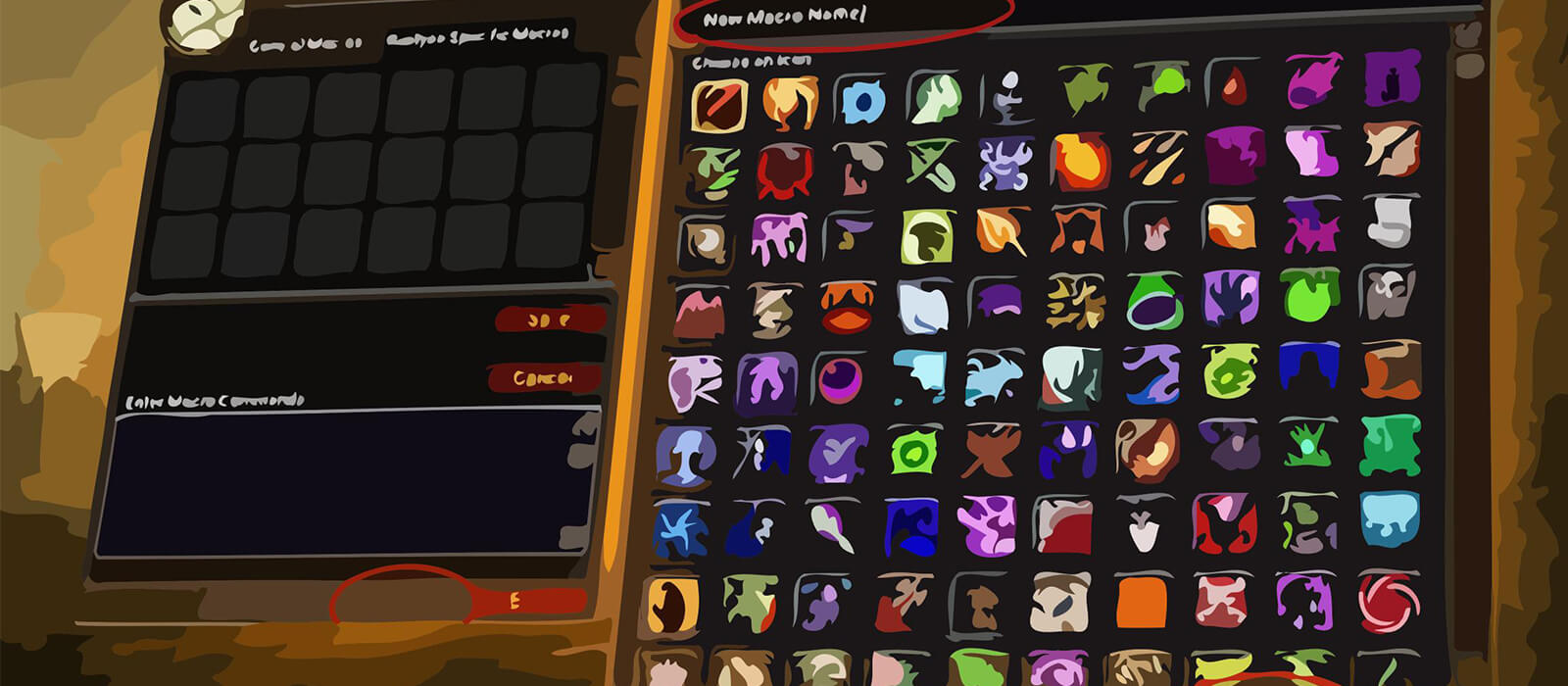
Open the in-game Macros window, create a macro and paste the code exactly as shown. Place it on an action bar and bind it to a reachable key. The #showtooltip line displays the relevant ability icon and cooldown. For mouseover macros, hover the intended enemy or friendly frame before pressing the button.
Focus Counterspell, Polymorph and Deep Freeze macros let you control a secondary target without losing the boss. Water Elemental Freeze and Pet Follow should be tested with the pet active and in range, especially during movement-heavy encounters.
Frost Mage PvE macro tips
Frostbolt, Ice Lance, Frostfire Bolt and Deep Freeze timing should remain manual. Modifier macros can save action-bar space, but they cannot decide when Fingers of Frost or Brain Freeze is active, whether a proc should be held, or which target has priority.
Icy Veins and Cold Snap should be used around encounter mechanics rather than combined blindly. Evocation and Mana Sapphire are recovery tools that require a safe window, while Blink and Ice Block are defensive buttons whose stopcasting behavior can cancel a valuable spell if pressed too early.
Counterspell, Spellsteal, Remove Curse and Polymorph often provide more encounter value than grouping every offensive cooldown. Bind them where they are reachable during movement and add control.
Compatibility and troubleshooting
These macros target the WoW WotLK 3.3.5a macro system. Spell, armor and item names must match your client language, while private-server differences can affect protected actions, channels, pet commands and focus conditions. If a macro fails, test the spell alone, confirm the active Water Elemental and target validity, and reload the UI after editing.
Macros cannot automate Fingers of Frost, Brain Freeze decisions, pet positioning or cooldown timing. Their purpose is to reduce targeting friction and make Frost Mage control, movement and raid utility more consistent while leaving encounter awareness with the player.