
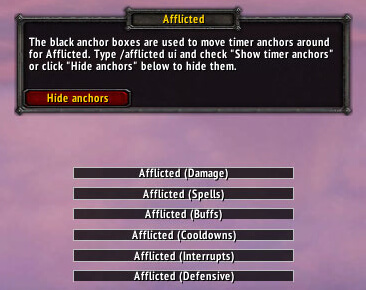
Afflicted is a PvP timer addon that tracks important enemy cooldowns, casts and crowd-control abilities.
Main features
- cooldown bars for enemy abilities.
- custom spell lists.
- arena and battleground utility.
- test and clear commands in supported builds.
How to use
Open the UI, enable only abilities you can react to, and run the test mode until you recognize the bar names and timing at a glance.
Affliction monitoring
Afflicted tracks and displays harmful effects for solo, group and raid play, with cleaning and status behavior provided by the package. Its optional Ace3, LibQTip and LibDataBroker integrations affect configuration and display. Select the debuffs or categories to watch, choose the target or group scope, and place the resulting list where it can be read during the encounter.
Use the list to identify an active affliction, its remaining time and the unit affected, then apply the class-appropriate response. The addon cannot remove a debuff that the class cannot cleanse and cannot know a custom spell absent from its data. Keep the list filtered to effects that matter for the current role instead of displaying every aura.
Filter the display to effects that the role can respond to, select the group or target scope, and use the remaining duration to time a cleanse or defensive action. Unknown custom spell IDs will not become recognized merely by changing the layout.
Use separate filters for solo, party and raid situations. The useful result is a short list of removable or dangerous effects with a remaining time, not an unfiltered copy of every aura event.
Use a small filtered display for a raid role and a broader display only when investigating a problem. This keeps the remaining time and affected unit visible instead of turning the panel into a complete aura dump.



