
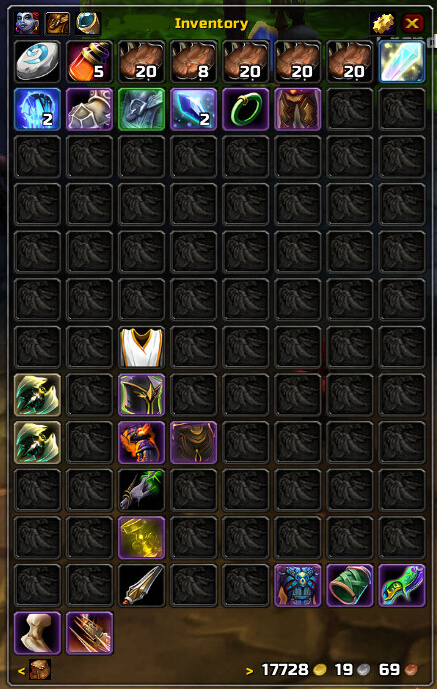
Bagnon is an inventory addon that combines your bags into a single searchable window and can show item information across characters.
Main features
- single-window bag layout.
- item search and quality highlighting.
- bank and bag views.
- alt inventory information in supported builds.
How to use
Open your bags normally and Bagnon replaces the standard bag frames. Use its search field to locate items quickly and configure layout from the addon options.
One inventory view, with optional modules
Bagnon’s WotLK package combines the character’s bags and bank into single-window displays. The archive includes Bagnon, Bagnon_Config, Bagnon_Tooltips, Bagnon_Forever and Bagnon_GuildBank, all marked for Interface 30300. The core has search, bag and bank frames, money display, item slots and character selection; Bagnon_Forever keeps information about items held by other characters, while GuildBank provides a separate guild-bank window.
Open Bagnon from the bag or bank button, select the character or storage view, and use the search control to find an item across the displayed inventory. The tooltip module can show whether another character on the same account has an item, while the configuration panel controls frame layout, colors and display options. Use the bank and guild-bank modules only when the corresponding storage is available; Bagnon cannot inspect a character who has never been logged or a guild bank that the client has not opened. The package changes presentation and search, not the number of bag slots.
Character and bank workflow
Use the character selector to answer a practical storage question such as whether another logged character has a reagent or spare piece. Use the search field after selecting the relevant inventory scope, then open the bank or guild-bank view only when that storage has been seen by the client. Bagnon_Forever is local history, not a server-wide inventory query, so it cannot know about a character that has not been logged on that installation.



