
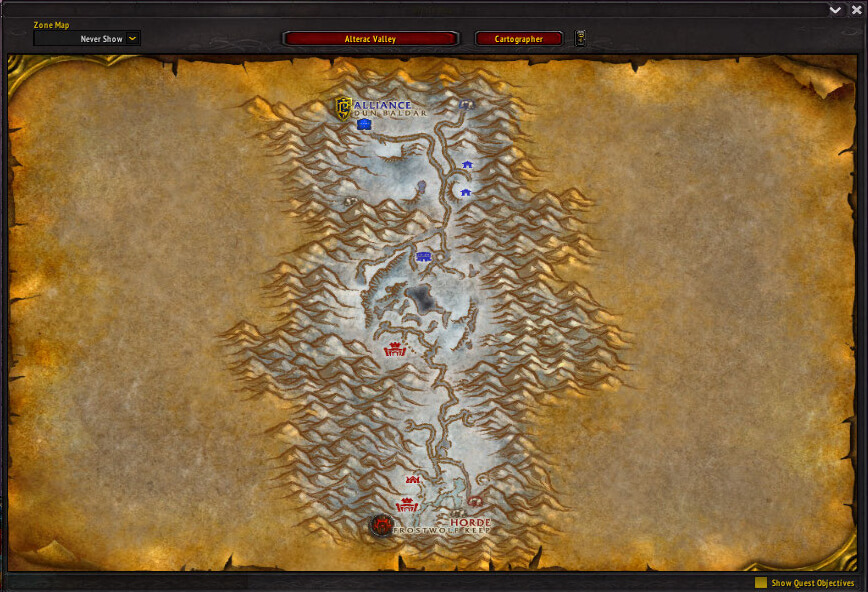
Cartographer is a modular world-map addon that adds coordinates, notes, waypoints and optional exploration or profession data.
Main features
- map coordinates.
- fog-of-war controls.
- notes and waypoints.
- instance or battleground maps.
- profession and resource modules depending on package.
How to use
Open the world map and enable only the Cartographer modules you use. Too many note or resource modules can make the map difficult to read.
Cartographer modules
Cartographer is a modular map system. The supplied archive includes the core and modules for notes, coordinates, waypoints, instance maps and loot, battlegrounds, guild positions, fog and zone information. Enable only the modules needed for the map task: Cartographer_Notes records a location, Cartographer_Waypoints presents a route target, and Cartographer_Coordinates exposes player or cursor coordinates.
A practical workflow is to open the world map, enable the relevant zone module, create a note at a quest or gathering location, then use the waypoint module to return to it. Instance and battleground modules use different map data, so an empty world-map layer does not mean the core addon failed. This is the older modular Cartographer package, not a modern map replacement.
Notes and waypoints are the practical core: record a location, attach a label, then follow the waypoint while the zone or instance map supplies context. Disable unused modules when the map becomes crowded.
Coordinates are useful when a quest, node or guild note must be revisited. Notes, waypoints and instance maps are separate modules, so configure the module that owns the data you want rather than expecting every layer to be active.
For gathering, combine a note with coordinates and a waypoint, then remove or rename the note when the route changes. Cartographer_ZoneInfo, InstanceMaps and Battlegrounds use different data layers. GuildPositions and GroupColors are informational modules and do not create a live navigation route for every group member.



