
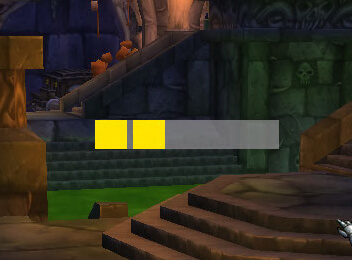
Combo Point Redux is a customizable combo-point display for Rogues and Feral Druids.
Main features
- clear combo-point visualization.
- movable and scalable display.
- texture and visibility controls in supported builds.
- better visibility during target swaps and burst windows.
How to use
Open the options, move the points close to your central combat information, and test how they behave when changing targets.
Class resource display
Combo Point Redux presents combo points in a separate, configurable display instead of relying only on the default resource area. The package includes shared-media and AceGUI support, allowing the player to choose the appearance and location of the resource indicators.
Place the display near the action buttons, then build combo points with the class ability and confirm that the indicator updates before spending them on a finisher. The addon reads the WotLK combo-point state; it does not change the maximum, generate points or decide when a finisher is optimal. A layout that looks correct for a rogue may need different positioning for a druid using the same resource concept.
Choose a layout that distinguishes empty, partial and maximum resources at a glance. Test builders and the finisher separately, then keep the indicator close to the ability that spends the points.
A practical layout has the resource display close to the finisher key and uses a distinct maximum-state color. The addon mirrors client state; it does not change resource generation or class rules.
The display should be checked after changing form or target because the client resource state can change independently of the visual layout. A missing indicator is not a reason to assume points were generated or spent incorrectly.



