
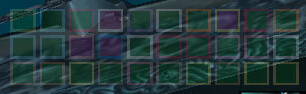
Decursive is a dispel and cleansing helper that gives healers and support classes fast visual access to removable debuffs.
Main features
- compact micro-unit frames for dispelling.
- priority and filtering controls.
- audio or visual alerts for dispellable effects.
- mouse bindings for quick cleansing.
How to use
Configure the dispel abilities available to your class, place the micro-unit frames near your raid frames, and test the click bindings before entering a raid.
Removing harmful effects
Decursive presents units with removable harmful effects and lets the player cleanse through its configured click or key action. The WotLK package includes the Decursive core, options and LibDataBroker support. Configure which classes of debuff are prioritized, place the unit display near the healing frame, and assign the class-appropriate dispel or cleanse.
During a group encounter, watch the priority list, use the configured action on the highlighted unit and confirm that the debuff disappears. Decursive cannot cleanse an effect the class cannot remove, and range, cooldown and global cooldown still apply. The display is a decision aid rather than an automatic cleanse bot.
Prioritize the debuffs your class can actually remove and put the unit list beside the healing frame. When a unit is highlighted, use the configured cleanse and verify range and cooldown; Decursive cannot remove an incompatible effect.
Decursive is most effective when its priority list contains only removable effects relevant to the role. Range, cooldown and class capability still determine whether the highlighted cleanse can succeed.
Configure the priority order around the debuffs the raid actually assigns to this class. A highlighted unit can still be out of range or protected by a cooldown, so the cleanse result must be confirmed in the frame.



