
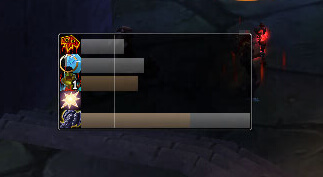
EventHorizon is a timeline-style rotation tracker that shows casts, DoT ticks and cooldowns on one horizontal time axis.
Main features
- single scrolling time line.
- DoT and HoT durations.
- cooldowns and cast timing.
- class-specific configuration through Lua files in older builds.
How to use
Move the frame into view, then edit only the class abilities you understand. Because older versions use Lua configuration, back up the config before changes.
Class timeline bars
EventHorizon provides timeline bars for class resources, buffs, debuffs, cooldowns and expected spell windows. The archive contains class modules for death knight, druid, hunter, mage, paladin, priest, rogue, shaman, warlock and warrior. Enable the class module matching the character so the bar rules correspond to the spells available to that class.
Configure the bar position and tracked effects, then use a target or training dummy to confirm that a DoT, cooldown or resource event moves the timeline. EventHorizon is a planning display, not an automated rotation. Movement, target changes and missing spell data can make a predicted window differ from the real fight, so use the timeline as a timing aid.
Enable the class module matching the character, position the timeline beside the action bars, and test one DoT or cooldown. The class modules are separate data sets; enabling an unrelated class module does not add the current class spells.
Class modules make the timeline meaningful only when the correct module is loaded. Compare the bar with the real target and resource state, because movement and target changes can invalidate a predicted window.
Use the timeline to anticipate the next available window, then confirm the actual aura or cooldown before committing. It is a planning aid and cannot account for every movement or target switch in a fight.
The class-specific modules determine which effects appear on the timeline. A paladin, mage or rogue profile therefore needs its own module and tracked spell rules. Put the timeline near the cast bar, trigger one known effect on a training target, and adjust the scale until the next window is readable without covering the target frame.



