
The production archive is ForteXorcist v1.965.3 by Xus. Its Readme identifies this build as made for WoW 3.3.5 and 4.0.1, and its TOCs use Interface 30300. ForteXorcist is a modular timer and utility package with a strong Warlock focus, although the archive also contains class modules for other WotLK classes.
Timers and cooldowns
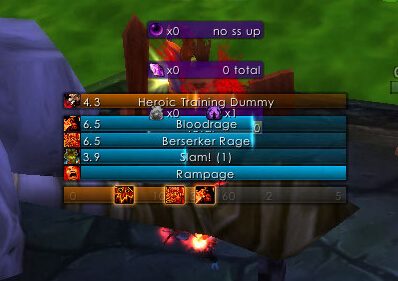
The Core, Casting, Timer and Cooldown modules work together to create bars for tracked spells, buffs, self-applied debuffs, target debuffs and cooldowns. The Timer module records duration, target, spell type, stacks and unit GUID, so multiple debuff instances can be kept separate when the same effect is present on different units. It updates target and focus changes and also contains correction scans for mouseover, pet and raid-related units. The timer display can distinguish cooldowns, self debuffs, other debuffs and buffs, and can use target or focus highlighting in the bar presentation.
ForteXorcist's class modules register the spells and effects that the timer system knows about. The included Warlock module registers curses, DoTs, relevant cooldowns and buffs, including talent or glyph-dependent duration adjustments. It also hooks pet casting information and can create timers for tracked pet effects. The package is not a complete rotation helper: it shows configured events and durations rather than telling the player which spell to cast next.
Warlock and raid utilities
The Warlock, Soulstone, Summon, Healthstone and Shard modules provide the build's most distinctive utilities. Soulstone can show start, cancel and success states and supports configurable messages or whispers. Summon tracks group summon requests and portal progress. Healthstone scans party or raid status, can report available stones and their makers, and provides a small healthstone display. Shard includes an optional shard-bag manager with configurable priority and cleanup rules. These modules are Warlock-oriented; they are not generic raid frames.
Settings and commands
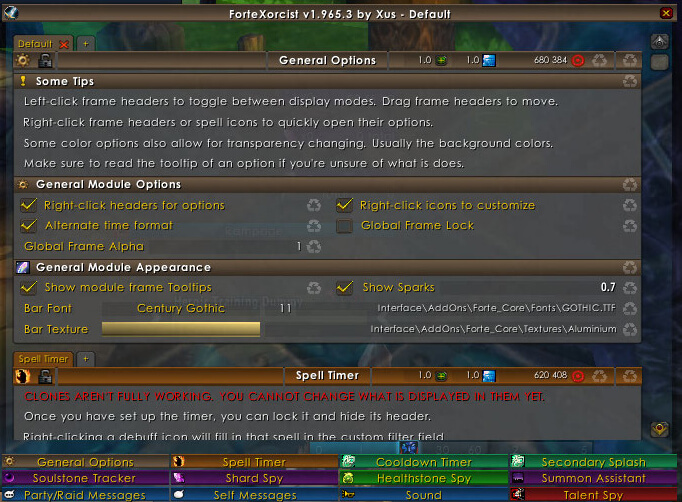
Use /fx, /fw or /fortexorcist to open the main configuration, and /fx commands to list commands in the installed build. The core supports position/reset, resetall, profile, debug and version. Profiles and settings are stored in the saved variable FC_Saved. Timer bars, filters, sounds, colors, announcement messages, position and visibility are configured through the Core options; individual modules add their own controls.
Installation
Install the complete archive under World of Warcraft\Interface\AddOns, keeping Forte_Core and the module folders as separate folders. The module TOCs declare their dependencies on Forte_Core and, where needed, Forte_Casting, Forte_Timer or Forte_Cooldown. Enable only the modules you want, then open the options with /fx.



