
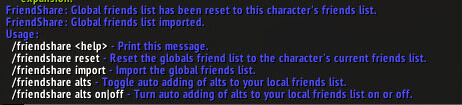
Friend & Ignore Share v1.4.2 synchronizes friend and ignore-list data across alternate characters. Its TOC stores separate global, removed, alt and automatic-alt lists for both friends and ignores, with no required external dependency.
Using it
Log participating characters in, review shared and removed lists, and test one harmless change before enabling automatic synchronization. It copies local list data; it is not a server-side account service.
Local list sharing
Friend & Ignore Share v1.4.2 copies friend and ignore-list data between alternate characters using saved global, removed, alt, and automatic-alt lists. Log the participating characters, review the shared and removed lists, and test one harmless change before enabling automatic synchronisation. It is local saved-variable coordination, not a server-side account service; an offline character cannot contribute its current list. The package declares no required external dependency.
How the lists are separated
Friend & Ignore Share keeps separate saved lists for shared entries, removed entries, alternate-character data, and automatic alternate synchronisation. That separation matters when removing a name: review the removed list before enabling automation so an entry is not copied back from another character. The same model is used for friends and ignores.
Log one character, make a harmless friend or ignore change, log another participating character, and verify the result before turning on automatic synchronisation. The addon copies local list data through saved variables; it does not call a server-side account service and cannot know the current list of a character that has not logged in. Keep a backup of the local saved-variable data before a large merge.
The supplied version is 1.4.2 and declares no required external dependency. Its useful scope is alternate-character list coordination on the same client, not account-wide remote management.



