
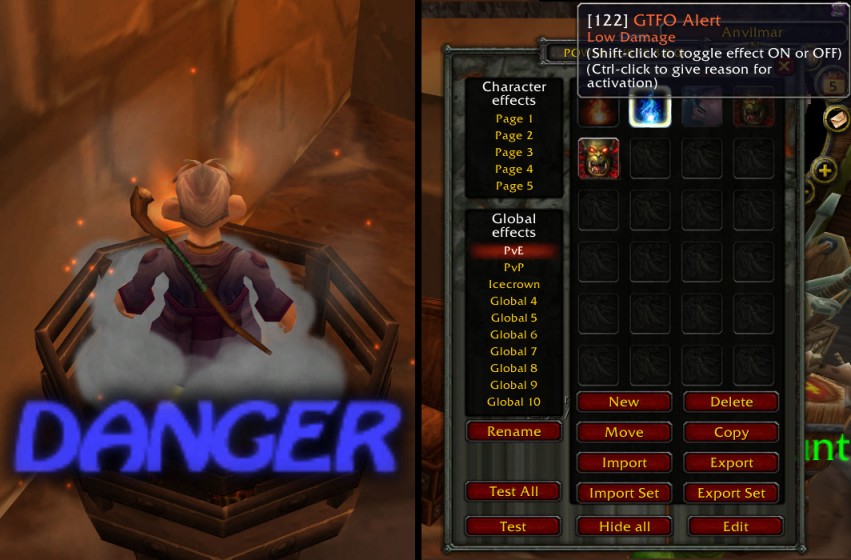
GTFO is a situational-awareness addon that plays distinctive sounds when you are taking avoidable environmental damage.
Main features
- audio alerts for harmful ground effects.
- different alert types or severities.
- test sounds and volume settings.
- works automatically once configured.
How to use
Run the test sounds first so you recognize them, then keep the volume high enough to hear during boss-mod and voice-chat noise.
Practical tip
Configure the addon around decisions you actually make during play. A small, readable setup is usually more useful than enabling every optional alert, panel or statistic. After changing settings, reload the UI if the build requires it and verify that the information remains visible at your normal resolution and UI scale.
Reacting to avoidable damage
GTFO 2.5.3 plays warning sounds when the character is taking damage from a known avoidable source. The Interface 30300 package stores data in GTFOData and lists PowerAuras as optional. It is a reaction aid: the sound tells the player to move, stop standing in the effect or correct a positioning mistake.
Use the warning together with the combat situation, not as permission to ignore mechanics. A sound can arrive after damage is detected, and some raid damage is intentional or unavoidable. Configure the volume and warning behavior so it remains audible over combat text, then test it on a mechanic whose avoidable damage is known. The WotLK database is encounter-specific; modern Retail encounter rules and custom-server spell IDs may not be present. If the warning is absent, the relevant data entry or optional module may not cover that encounter.
GTFO warnings are encounter-data dependent. A missing warning does not prove that standing in an effect is safe, and a warning can be delayed by the combat event. Keep the sound distinct from ordinary alerts and learn the visual mechanic as well. PowerAuras is optional and is not required for the core GTFO warnings in the supplied package.



