
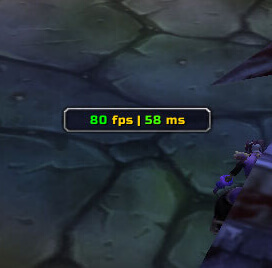
LagBar is a compact performance display that keeps latency and frame-rate information visible while you play.
Main features
- network latency display.
- FPS display.
- optional additional performance values depending on build.
- small movable bar designed to stay out of the way.
How to use
Use /lagbar to position the bar and select the metrics available in your build. Watch for sudden latency or FPS changes when diagnosing raid performance problems.
Latency and frame timing
LagBar displays latency information in a small bar and stores its configuration in LagBar_DB. Use it to distinguish a network delay from a local frame-rate problem: compare the bar while casting or moving and note whether the reported latency changes when the connection is under load.
Position the bar where it can be checked without covering combat information. LagBar reports the client’s available latency measurement; it does not improve the connection, predict a server response or diagnose every FPS problem. A stable latency value with stuttering frames points to a different performance cause.
Compare the latency reading with visible frame stutter and spell response. A network delay and a local FPS problem produce different symptoms; LagBar only reports the available latency value.
Read latency beside actual spell response rather than treating it as a quality score. LagBar reports a measurement; it cannot reduce latency or explain local frame-rate drops.
Use LagBar during a known spell-casting test and compare its reading with the client response. It is a small measurement display, not a network diagnostic suite or a solution for server lag.



