
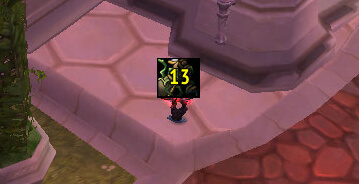
LoseControl is a crowd-control display addon that shows large icons for control effects affecting you or selected units.
Main features
- stun, fear, silence and other CC icons.
- remaining-duration display where data is available.
- player, target or focus tracking depending on build.
- useful for PvP reaction timing.
How to use
Place the icon near your character or center screen so you can identify the active control effect without searching your debuff row.
Watching crowd control
LoseControl displays the control effect currently applied to the player, target or other supported unit and shows the remaining duration. Its saved data is character-specific. Configure the unit categories and icon position, then test a stun, silence, fear or root so the large icon appears for the effect that matters.
The icon describes an observed aura and its duration; it does not remove the control or guarantee that an immunity will expire exactly when the timer ends. Use it during PvP to decide when to retreat, trinket or resume casting. Effects unknown to the old spell database may not receive an icon.
Place the icon where it can be read while the character is controlled. Compare the displayed effect with the actual aura before using a trinket or defensive response; the timer is a reminder, not an immunity prediction.
Choose the units that matter for the current activity and keep the icon large enough to read during a stun or silence. The displayed aura must still be checked against immunity, dispel and diminishing-return behavior.
When several units are configured, identify which icon belongs to the player before reacting. LoseControl is a visual status display and has no power to dispel, trinket or interrupt the effect it reports.



