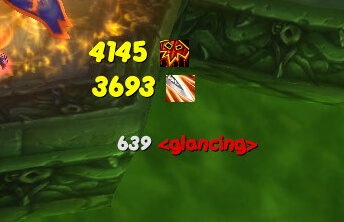
MikScrollingBattleText (MSBT) in the production archive is version 5.4.78 by Mikord, with Interface 30300. The included readme describes this build as a replacement for Blizzard's Floating Combat Text and damage output. It moves combat information into configurable scrolling areas instead of leaving every event in the default text stream.
Events and scroll areas
MSBT separates incoming damage and healing, outgoing damage and healing, and notifications into scroll areas. The event set includes melee and spell damage, DoTs, heals and HoTs, pet events, environmental damage, misses, dodges, parries, blocks, deflects, absorbs, immunes, resists, reflects, interrupts and evades. Notification events include buffs, debuffs, stacks and fades, power gains and losses, combo points, honor, reputation, skill and experience gains, killing blows, extra attacks, soul shard creation, enemy buff gains, monster emotes and cooldown completions. The Loot module adds looted items and money gains.
Scroll areas can be created dynamically and assigned individual events or triggers. For each area the build exposes position, width and height, enabled state, animation style, font, font size, outline and opacity. Individual events can override color, font, size, outline, opacity, message, enabled state and destination area. Incoming and outgoing areas use sticky behavior for important text such as critical hits, and crit events have separate settings that can be emphasized without changing every normal hit.
Filtering and reducing spam
Event settings provide enabled/disabled controls and the readme documents a full set of spam controls. MSBT can merge area-of-effect results into one event with cumulative damage or healing and counts for normal hits and crits. This is useful when repeated combat-log entries make the screen unreadable. The build also supports damage-type and class-colour presentation, partial-effect messages such as resists and absorbs, overhealing output, and event or trigger sounds. It does not turn the text into a complete combat-log browser.
Cooldowns and triggers
The cooldown module watches spell cooldown completion and displays a notification when a tracked cooldown becomes ready. The trigger module is more specific than a simple spell alert: a trigger has one or more main combat events, conditions for those events, optional exceptions, an output message and normal event settings such as color, sticky state, sound and scroll area. The supplied editor also supports class restrictions and the included default trigger set. These are the conditions implemented by this version; modern retail trigger fields should not be assumed.
Settings and commands
Use /msbt to open the options interface. The confirmed commands are /msbt reset, enable, disable, version and help. Profiles are provided by MSBTProfiles_SavedVars and the per-character saved variable, while media is stored separately. The archive bundles its libraries and includes fonts, animation styles and Low Mana, Low Health and Cooldown sounds.
Installation
Install both the MikScrollingBattleText and MSBTOptions folders directly under World of Warcraft\Interface\AddOns. The options folder declares the core addon as its dependency; LibSharedMedia is included in the archive.