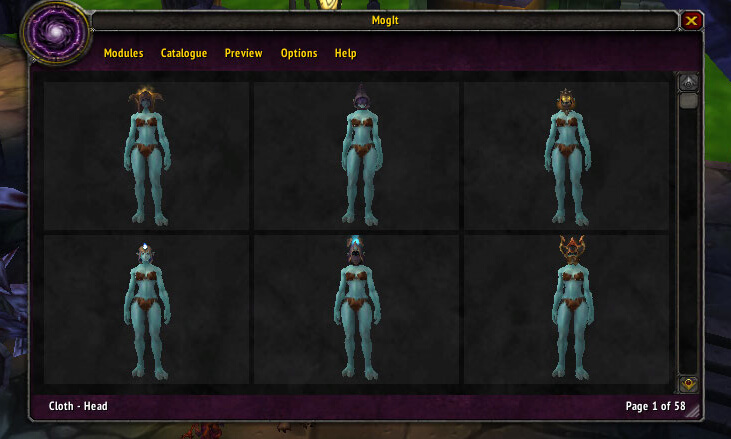
MogIt is an equipment appearance browser and preview addon used to search item models and build visual sets.
Main features
- item appearance browsing by slot or category.
- character preview window.
- saved visual sets or wishlists.
- search and filtering tools depending on module.
How to use
Open /mogit, browse a slot or item category, then preview pieces together. Availability of actual transmogrification depends on the server you play on.
Browsing appearances
MogIt 3.3.2 is an appearance and item browser. The archive contains the MogIt core plus data modules such as MogIt_Other, marked module version 2, and stores the item data locally. It lets a player browse equipment appearances and inspect the item that provides a chosen model without opening every vendor or loot table.
Open the MogIt window, choose an equipment category or data module, and select an appearance to view its item source. Use the item link or source information to decide whether the appearance comes from a dungeon, quest, vendor or other WotLK activity. The database is local and depends on the modules shipped with the archive; an appearance absent from the package will not become available through a modern Retail database. MogIt is a browsing tool, not a transmog system and not a way to unlock an appearance in WotLK.
Use the source result as a farming plan: identify the item, note the instance or vendor, then verify that the corresponding WotLK module is enabled. MogIt’s modules are data providers, so disabling a module can make a category appear empty without breaking the core window. The archive’s 3.3.2 data is not updated by an online query.
When an appearance has several matching items, compare the source and item link shown by the selected data module instead of assuming that the first result is the only acquisition route. The module data is the boundary of what this package can display.