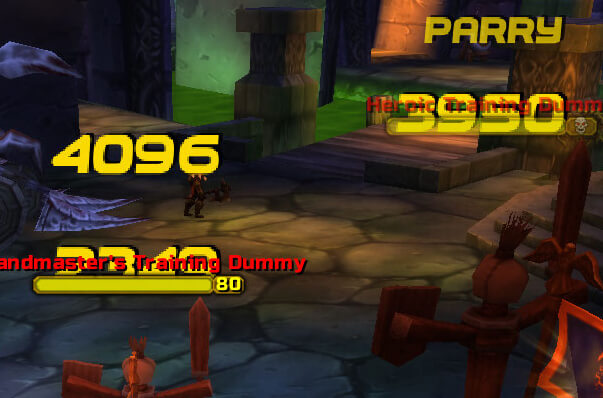
NiceDamage replaces the damage font with one of eight bundled fonts. Its readme says the selected file must be named font.ttf; the archive also contains the default font and backups. The supplied TOC is version 40000 and warns about English-only character coverage.
Limits
Change the font while WoW is closed, then reload and inspect scrolling damage. Font 6 can break parry, miss and dodge text, and non-English clients may show broken localized messages.
Font limits
NiceDamage changes the presentation font only. The readme requires the selected bundled file to be named font.ttf and warns that Font 6 can break parry, miss, and dodge text. The supplied fonts have English-oriented character coverage, so localized clients may display missing glyphs. Keep the original font as a backup, close WoW before replacing it, and inspect scrolling combat text after restarting. The TOC is marked version 40000; no slash command or in-game settings panel is declared.
Choosing and testing a font
The archive contains eight font choices and a default/backup arrangement rather than an in-game font selector. Select one bundled file, rename it to the required font.ttf, and place it where the package expects the active font. Close WoW before changing the file because the client reads the font during startup. After restarting, trigger several kinds of scrolling combat text: ordinary damage, a miss, a dodge, and a parry.
Font 6 is specifically called out by the readme because it can break parry, miss, and dodge messages. The English-oriented character coverage also matters on non-English clients: a font can render numbers correctly while losing localized combat-text letters. Restore the backed-up default when a line becomes unreadable. NiceDamage has no damage calculation, combat log parser, profile system, slash command, or normal settings panel; its function is the visual replacement of the damage font. The supplied TOC is marked 40000, so the package should be tested on the target client before relying on it.