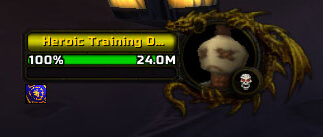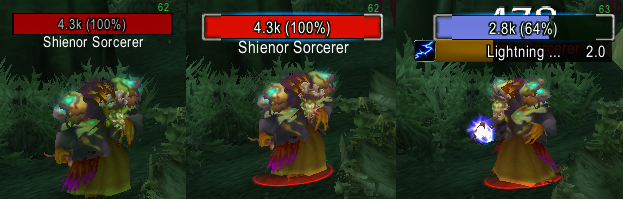
NotPlater is a configurable Interface 30300 nameplate addon with health, cast, icon, level, name, stacking, target and threat modules. Its 3.3.5 README documents DPS/healer and tank threat modes, target highlighting, non-target shading, profiles, movable bars and a simulator frame.
Using it
Use the 3.3.5 TOC, enable modules needed by the role, and configure threat, cast and target cues before a dungeon. LibSharedMedia and Ace3 are optional or embedded.
Nameplate modules
Enable the modules needed by the role: health, cast, icon, level, name, stacking, target, and threat modules are present in the supplied 3.3.5 package. DPS and healer setups can use target highlighting and non-target shading; tanks can use threat cues. Profiles, movable bars, and the simulator frame help test the layout before a dungeon. Threat and cast indicators depend on client data. Use the included Interface 30300 TOC and libraries rather than retail Plater profiles.
Choosing the nameplate information
NotPlater separates nameplate information into modules for health, casts, icons, levels, names, stacking, targets, and threat. A damage dealer can enable cast and target cues, a healer can keep hostile names and casts readable, and a tank can add threat presentation and target highlighting. Enable the needed modules in the supplied 3.3.5 package instead of assuming that a retail Plater profile maps to these files.
Use profiles to keep separate layouts for roles, move the bars to a readable location, and open the simulator frame when checking a change without a live unit. Non-target shading and target highlighting are visual cues; threat output still depends on the WotLK client data and cannot be generated for a unit the client does not report. LibSharedMedia and Ace3 support the available fonts, textures, and configuration pieces.
The source is marked Interface 30300. A practical setup is to create one tank profile, test casts and threat on a training target, then create a second lighter profile for ordinary questing.