
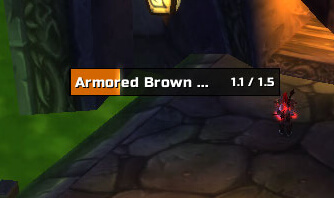
Quartz is a modular casting bar addon for WoW WotLK 3.3.5a. It replaces the default cast bar with a more configurable version and can also display casting information for your target and focus.
It is especially useful for casters, healers, and PvP players who need clear information about cast timing, latency, interrupts, and enemy spells.
Main features
Quartz includes several optional modules:
- Customizable player cast bar
- Target and focus cast bars
- Latency indicator
- Global Cooldown display
- Interrupt information
- Range indication
- Melee and ranged swing timers
- Customizable bar size, position, text, icons, and appearance
The Latency module shows part of the cast bar as a latency zone. This helps you understand when the server has already received your spell cast and can make consecutive casting feel more responsive.
The Interrupt module changes the cast bar when a spell is interrupted and can show who interrupted it.
Quartz can also display a small Global Cooldown indicator, making it easier to see when your next ability becomes available.
Configuration
Open the Quartz configuration with:
/quartz
From the settings you can enable or disable individual modules and separately configure the player, target, and focus cast bars.
Bars can be moved and resized to fit your interface.
Installation
- Download the Quartz archive.
- Close World of Warcraft.
- Extract the addon into World of Warcraft\Interface\AddOns.
- Start the game and make sure Quartz is enabled.
- Type /quartz to configure your cast bars.
Quartz is a useful choice for players who want clearer casting information and more control over how cast bars are displayed.



