
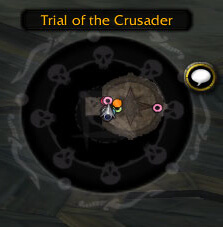
SexyMap v1.2.3p is the build supplied for the WotLK 3.3.5a client (Interface 30300). It is a minimap customization addon: it changes the presentation, position and attached controls of the Blizzard minimap, while its settings are stored in a SexyMap profile. It is not a replacement for the game's map data.
Shape, scale and borders
The General and Shapes modules let you change the minimap layout instead of keeping the default round frame. The build includes several bundled shape masks, including round, square and alternative geometric shapes. General settings control the map scale, whether the map is locked, whether it can be moved, and whether it is clamped to the screen.
The Borders module controls the frame around the map. You can hide the default border, select a bundled border texture, change its color and scale, and adjust the backdrop. Border presets can be selected and custom presets can be saved, loaded or deleted. A practical setup is to choose a shape that fits your UI, set a readable scale, hide the unused default border, and save the result as a preset before trying another layout.
Buttons and map information
The Buttons module handles controls attached to the minimap. SexyMap can take responsibility for dragging these buttons and for their visibility, so unused controls do not have to remain scattered around the edge of the map. The source includes groups for controls such as zoom, the map clock and the close button; their placement and visibility can be managed from the module options.
The Coordinates module can display the player's map coordinates below the minimap. Its options include enabling the display, locking it, changing font size and colors, moving it, and resetting its position. The ZoneText module formats the zone name above the map and can show it always, only on hover, or not at all, with separate position, font and color options. The Ping module can put the name of the player who sent a minimap ping over the ping itself, which is useful when several people are coordinating movement.
Fade and automatic zoom
Fader is an optional module in this build. When enabled, it changes the minimap cluster opacity while the mouse is over it and restores the configured normal opacity after the pointer leaves. Normal and hover opacity are separate settings. AutoZoom can zoom the minimap out after a configurable delay; setting its delay to zero disables the automatic zoom-out behavior. These options are useful when the minimap should stay unobtrusive during combat but become readable when it is being used for navigation.
Configuration and profiles
Open SexyMap's configuration with /sexymap. The same configuration entry is also registered as /minimap and /map. The options are grouped by the bundled modules, including General, Shapes, Borders, Buttons, Coordinates, Fader, AutoZoom, Ping and ZoneText. Profiles are provided through the addon's AceDB configuration, so a player can keep separate saved layouts instead of rebuilding the minimap after every change. Right-click configuration and movable frame helpers are available through the General options.
Use on a 3.3.5a client
For a normal setup, close the game, extract the archive so the SexyMap folder is directly inside Interface\AddOns, enable it at character selection, and open one of the commands above. Start with the map scale and shape, then manage buttons and enable only the information modules you actually read. If the coordinate or zone text frame overlaps the map, unlock or reset that module's position rather than changing unrelated UI frames.
This archive is an old WotLK-era build, v1.2.3p, with Interface 30300. Its available options are the modules included in that package; modern Retail minimap features should not be assumed. Optional libraries and integrations listed in the TOC, such as Ace3, LibSharedMedia, TomTom and Capping, are dependencies or compatibility points of the package, not a guarantee that every related addon feature is present. If a setting has no effect, first confirm that the corresponding SexyMap module is enabled and that the map or module frame is not locked.



