
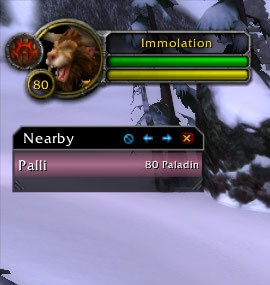
Spy is a PvP awareness addon that detects nearby enemy players from combat-log activity and maintains a list of recently seen opponents.
Main features
- nearby enemy player list.
- alerts for newly detected enemies.
- last-seen information.
- optional kill-on-sight or ignore-style lists in supported builds.
How to use
Keep the Spy list somewhere visible in world PvP, but remember that combat-log detection is not a true radar and only reports information available to the client.
Before you install
Keep a copy of your current addon folder and saved settings before replacing files. Confirm that the extracted folder is intended for the 3.3.5a client, enable it on the character-selection screen, and test the main feature outside important group content. If the interface behaves unexpectedly, disable unrelated addons temporarily and reload the UI.
Enemy detection
Spy records hostile players detected through combat, target, mouseover and nearby information and presents them in its enemy list. The package uses per-character Spy data and class libraries to classify detected players. Configure the display and alert behavior before entering a battleground or contested zone, then inspect the list to see who was recently detected and why the addon considers the player hostile.
Spy is not omniscient. Detection depends on client events, range and the information available from the WotLK API; a player who is not detected is not necessarily absent. Use the list as situational awareness, not as an automated target or a replacement for normal PvP scouting.
Use the recent-detection list to decide where to look next, then verify the player visually or through normal targeting. Detection range and combat events limit the list, so an empty list cannot certify that an area is clear.
Alerts should be treated as a recent signal. Check the zone, class and last-seen information before acting, because the WotLK client may stop reporting a unit after it leaves range or changes combat state.



