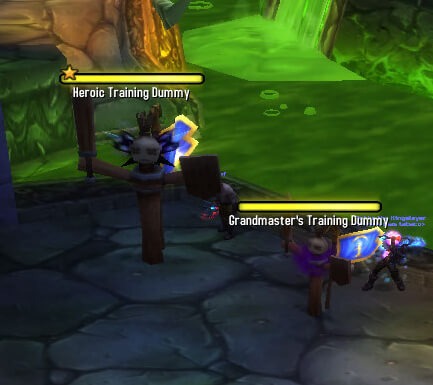
This production archive is the Kader Backport build of TidyPlates for the WotLK 3.3.5a client: core version 6.4.9, Interface 30300. TidyPlates replaces the appearance of Blizzard nameplates while continuing to use the game's nameplate units. The plate can show a unit name, health bar, level, target marker, elite or boss indicator, raid icon, class icon where enabled, and a cast bar.
What the plates show
The core tracks enemy and friendly plates separately. Friendly and enemy nameplates can be enabled or disabled automatically from the TidyPlates panel, and a selected target can receive a distinct highlight. Health bars update with the unit's current health. In combat, the threat indicator can react to the game's threat situation for hostile NPCs; the exact border or overlay appearance is supplied by the selected theme. The build also includes a debuff widget with a configurable tracking list. It is not a general buff tracker.
Casts, range and visibility
Cast bars are part of the core. The panel includes an optional cast watcher for non-target units when the client can provide the required cast information, and the plate distinguishes interruptible and non-interruptible casts through theme artwork. The base settings expose standard and spotlight scale, target and non-target opacity, inactive or filtered opacity, and optional range indicators. These controls change how plates are displayed; they do not add a new range-detection system to the game.
Themes and threat use
The archive contains the Grey, Neon, Quatre and Graphite theme folders. Their Lua definitions provide different layouts and artwork, including Default and NameOnly styles; Neon also includes Compact, Mini and Friendly styles. The separate TidyPlates_ThreatPlates folder is version 5.6 and adds a threat-reactive theme with tank, DPS, normal, text, totem and unique styles. Its code includes /tptptank, /tptpdps and /tptptoggle to switch its tank/DPS threat presentation. Do not mix these names with newer TidyPlates forks.
Settings and installation
Use /tidyplates to open the core theme-selection window. It stores settings for specializations and character profiles, and a selected theme can expose its own configuration panel. Extract the archive with the TidyPlates folder and the chosen theme folders directly under World of Warcraft\Interface\AddOns. TidyPlates_ThreatPlates must be installed with TidyPlates because its TOC declares the core as a required dependency.