GitHub: suprepupre/TrinketCDs
TrinketCDs (Fork)
Fast jump: Install | Preview | New Features | Drag & Drop | Profiles | Proc Glow | Commands | Performance | Options
Forked from Ridepad/TrinketCDs.
- Addon dynamically tracks cooldown of equipped trinkets and enchants.
- Made to remove headache of copying/creating weakauras for every new character/item.
- Works both on 3.3 and 3.4 WotLK versions.
- Full database of WotLK/TBC trinkets.
- Ashen rings, cloak, weapon, hands, boots and belt enchants.
- Doesn't depend on combat log.
- Proc duration, stacks, cooldown.
- Cooldown tracking on login and after inventory change.
- Has built-in cooldown text (use OmniCC as alternative).
- Caches cooldown even if trinket was unequipped after proc (useful if server has different iCD on equip).
New Features
Proc Glow
Visual glow effect around icons when a trinket/enchant proc is active.
- Glow appears automatically when a proc buff is detected
- Three glow styles: Action Button Glow (default), Pixel Glow, and Proc Glow
- Action Button Glow — classic WoW marching ants animation
- Pixel Glow — colored pixel dots orbiting the border
- Proc Glow — WeakAuras-style flipbook proc animation (uses UIActionBarFX spritesheet)
- Per-icon glow toggle for each equipment slot
- Bundled [LibCustomGlow-1.0] with 3.3.5a compatibility
- Dedicated Glow settings tab in Interface Options
- Show proc icon instead of item icon while active
- Text (cooldown, stacks, ilvl) always renders above glow effects
Drag & Drop Positioning
Move trinket icons freely by dragging them with the mouse.
- Toggle drag mode with
/tcd dragor the button in options - All icons become visible with yellow highlight during drag mode
- Positions are saved automatically when you release the icon
- X/Y sliders in options update automatically after dragging
- Drag mode is disabled during combat
Profile System
Save and load complete layouts across all your characters.
- Save current icon positions and all settings as a named profile
- Load profiles on any character on the same account
- Manage profiles via dropdown menu in options or chat commands
- Profiles are stored account-wide in SavedVariables
Font Settings
Separate font configuration tab with LibSharedMedia-3.0 support.
- Dedicated Fonts subcategory in Interface Options
- Dropdown with all fonts from LibSharedMedia-3.0
- Grouped alphabetically with submenus for large font libraries
- Live font preview that updates instantly when selecting a font
Install
- Download.
- Extract
TrinketCDsfolder into<WoW Folder>/Interface/Addons/folder.
Preview
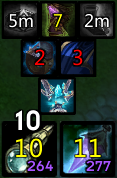
All items preview

Chicken swap preview
Ctrl+Right mouse click to swap to chicken, left mouse click to use. (Ctrl+Right click again to swap back)
Automatically swaps back to previous trinket after chicken is used, regardless of how chicken was equipped.

Drag & Drop
How to use
- Type
/tcd dragin chat (or click "Toggle Drag Mode" button in options) - All trinket/enchant icons will appear with a yellow highlight
- Left-click and drag any icon to move it
- Type
/tcd dragagain (or/tcd lock) to save positions and return to normal mode
Notes
- Cannot enter drag mode during combat
- Positions are saved to your character's settings automatically
- X/Y sliders in the options panel update in real-time after dragging
- You can still use X/Y sliders for fine-tuning after drag positioning

Profiles
What is saved in a profile
- All icon positions (X/Y)
- Icon sizes, zoom, border settings
- Font settings (file, CD size, stacks size, item level size)
- Visibility settings (show/hide individual slots)
- Global switches (combat only, hide ready, proc glow, glow style, etc.)
- Per-icon glow toggle
Using profiles via chat
/tcd save MyLayout — Save current settings
/tcd load MyLayout — Load profile
/tcd delete MyLayout — Delete profile
/tcd profiles — List all saved profiles
Using profiles via UI
- Open options:
/tcd options - Go to TrinketCDs → Profiles subcategory
- Select existing profile from dropdown or type a new name
- Click Save, Load, or Delete
Sharing layouts between characters
- Set up your layout on Character A
/tcd save healer_layout- Log in to Character B
/tcd load healer_layout

Proc Glow
How it works
- When a tracked item proc buff is active, a glow effect appears around the icon.
- Glow disappears automatically when the buff fades.
Glow styles
| Style | Description |
|---|---|
| Action Button | Classic WoW action bar glow with marching ants animation |
| Pixel | Colored pixel dots orbiting the icon border |
| Proc Glow | WeakAuras-style animated proc effect using flipbook spritesheet |
Settings (TrinketCDs → Glow)
- Enable proc glow — master toggle for all glow effects
- Glow style — dropdown to choose Action Button, Pixel, or Proc Glow
- Per-icon toggles — enable/disable glow for each equipment slot
Defaults
- Proc glow is enabled
- Glow style is Action Button
- All icons have glow enabled
- Proc icon replacement is disabled (item icon stays visible during procs)

Commands
All commands start with /tcd:
| Command | Description |
|---|---|
/tcd |
Show all available commands |
/tcd options |
Open options panel |
/tcd drag |
Toggle drag & drop mode |
/tcd lock |
Same as drag (toggles) |
/tcd unlock |
Same as drag (toggles) |
/tcd move |
Same as drag (toggles) |
/tcd save <name> |
Save current layout as profile |
/tcd load <name> |
Load a saved profile |
/tcd delete <name> |
Delete a saved profile |
/tcd profiles |
List all saved profiles |
/tcd list |
Same as profiles |
/tcd cpu |
Show CPU usage stats |
Mouse Controls
| Action | Effect |
|---|---|
| Drag mode: Left-click drag | Move icon to new position |
| Ctrl + Left-click | Reequip trinket to force cooldown |
| Shift + Left-click | Swap trinket slots (13↔14) |
| Alt + Left-click | Swap to same-name trinket (different ilvl) |
| Ctrl + Right-click | Swap to/from chicken trinket |
Ctrl-click
Reequips trinket to force its cooldown.

Shift-click
Swaps trinkets places to force cooldown for both.

Alt-click
Swaps for trinket with same name, but different ilvl (if exists in bag).

Performance
CPU usage from LoD kill

Options
Check in game options for settings. Type /tcd options to open.
Settings subcategories:
- TrinketCDs — main settings, visibility toggles, trinket swap
- Trinket1 / Trinket2 / Ring / Belt / ... — per-icon position, size, zoom, border, font sizes
- Fonts — font selection via LibSharedMedia-3.0, live preview
- Glow — proc glow enable, style selection (Action Button / Pixel / Proc Glow), per-icon toggles
- Profiles — drag mode button, save/load/delete profiles

Changelog
v2.4.2
- Added 3rd glow style: Proc Glow (WeakAuras-style flipbook animation)
- Glow style dropdown now correctly shows selected style with checkmark
- Moved font settings to dedicated Fonts subcategory with live preview
- Font preview updates instantly on selection
- Fixed Dislodged Foreign Object not showing proc buff (stacked buff fallback)
- Fixed Action Button Glow overlapping cooldown/stacks/ilvl text
- Text overlay now always renders above all glow effects
v2.4.1
- Added proc glow effect (Action Button Glow and Pixel Glow)
- Bundled LibCustomGlow-1.0 with LibStub and PoolCompat for 3.3.5a
- Added per-icon glow toggle
- Added Glow settings tab in Interface Options
- Added Drag & Drop icon positioning (
/tcd drag) - Added profile system (save/load/delete via chat and UI)
- Added per-character auto-save on logout
- Added Profiles settings tab
- Fixed SetColorTexture missing in 3.3.5a
- Fixed version detection via GetBuildInfo()
- Fixed UI overlap for Profiles panel
v2.3.0 (upstream)
- Original release by Ridepad
Credits
- Original addon by Ridepad
- Fork by suprepupre: Drag & Drop, Profiles, Proc Glow, Fonts
Also for WoW 3.3.5a
| Project | What it does |
|---|---|
| wow_optimize | Engine-level optimization DLL - allocator, Lua VM, timers, file I/O, frame-time benchmark |
| LuaBoost | Addon-side GC control, loading-screen helpers, shared APIs for addon authors |
| WA_SafeGuard | Backs up WeakAuras so a forced disconnect cannot wipe your auras |
| DefileAlert | Instant Defile target callout for the Lich King encounter |