
GitHub: robgha01/TrufiGCD
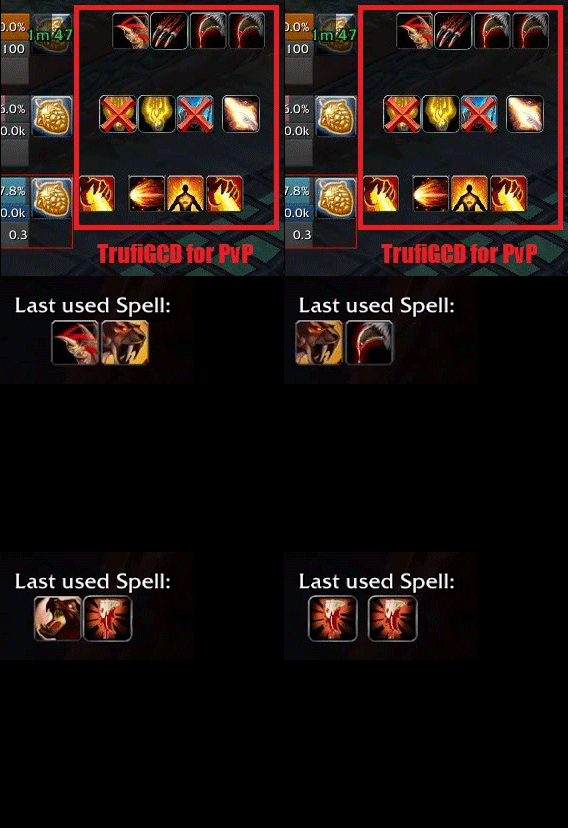
TrufiGCD is a spell-history addon that displays recently used abilities as scrolling icons, useful for gameplay review, streaming and rotation practice. It is useful when you want this information or control available inside the game without adding an unnecessarily large UI package. The goal is to make a specific WotLK 3.3.5a task quicker and easier to read while leaving the rest of the interface largely unchanged.
Main features
- scrolling sequence of recently used abilities.
- movable and scalable display.
- useful feedback for rotation timing and key presses.
- commonly used by streamers and for VOD review.
How to use
Place the history strip near the center or bottom of the screen, then record a short fight and review whether your displayed ability sequence matches the intended priority.
Useful commands in the supported build include:
/trufigcd
Installation
- Download the addon archive for your WotLK 3.3.5a client.
- Close World of Warcraft before replacing addon files.
- Extract the addon folder into World of Warcraft\Interface\AddOns.
- Start the game and make sure the addon is enabled on the character-selection screen.
- Test its basic function in a safe situation before using it in a raid, arena, Auction House session, or other important activity.
If TrufiGCD does not appear to work, first check for an extra nested folder inside AddOns and confirm that you downloaded a build intended for the 3.3.5a API. Old WotLK addons often have several forks, so commands and optional modules can differ slightly between packages. Keep a backup of a working addon folder before replacing it with another fork.



