
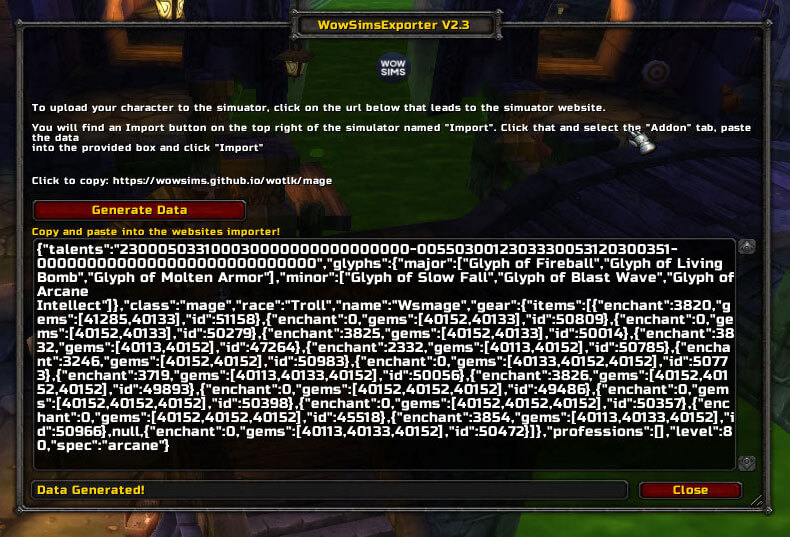
WowSimsEporter is a character export addon that creates a shareable code for loading your current setup into a simulator.
Main features
- exports equipped gear.
- includes talents and glyphs.
- captures relevant character configuration for simulation.
- reduces manual simulator data entry.
How to use
Open /wse, generate the export code, copy it, and paste it into the compatible simulator import field. Re-export after changing gear, talents or glyphs.
Exporting a character for simulation
WowSimsExporter is an exporter for sending character data to the WoWSims website. Its README and TOC identify the workflow as exporting a character rather than simulating inside the game; Ace3 is optional. Open the addon command or interface, choose the character data to export, copy the generated text or URL, and paste it into the matching WoWSims import field.
The export reflects the gear, talents and settings visible to the client at the time it is created. Re-export after changing an item, glyph or talent. The addon does not validate whether the simulator profile matches a custom server and cannot add data that the WotLK client has not exposed.
Inspect the exported profile before importing it into WoWSims and select the same class, spec, gear and encounter assumptions. Re-export after every meaningful character change; the game client does not update an old text export.
Keep the export tied to the same simulator version and encounter assumptions used for the comparison. An export is a snapshot of client data and should be recreated when gear, talents or glyphs change.



