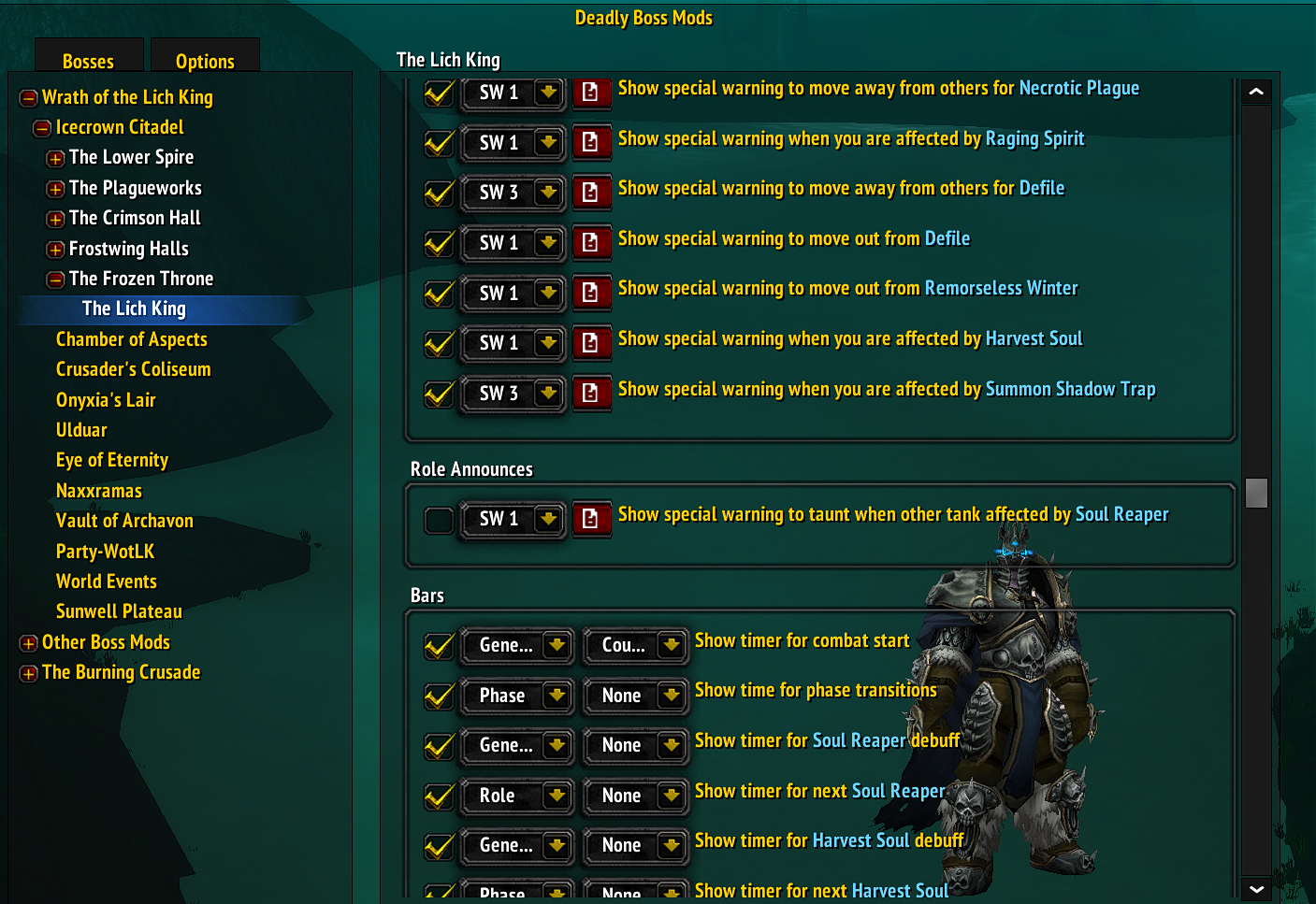
DBM is Deadly Boss Mods provides encounter timers, warnings and special alerts for supported raid and dungeon mechanics.
Main features
- boss ability timers.
- phase and mechanic warnings.
- special warnings for dangerous events.
- per-encounter option modules.
How to use
Open /dbm, enable the WotLK modules you need, and review the warning sounds or bars before progression so you understand what each alert means.
Modules in this DBM package
The archive contains DBM-Core, GUI, StatusBarTimers, SpellTimers and encounter modules for Naxxramas, Ulduar, Icecrown, the Coliseum, VoA, Onyxia, PvP, world events, classic raids and other WotLK-era zones. The modules use Interface 30300 TOCs and separate saved variables for many raid families. Install the core plus only the encounter modules needed for the raids being played.
During an encounter DBM shows warnings and timers for the loaded boss module. Use the GUI to configure alert sound, timer bars, special warnings and announcement behavior, then test the module in the actual encounter. A missing timer can mean that the module is not installed or enabled, not that the boss mechanic is absent. This archive should not be mixed with modern DBM modules whose event IDs and options differ.
Install DBM-Core with the encounter modules for the raids actually played, open the GUI, and choose timer bars, warning sounds, special warnings and announcement channels. Test a loaded boss module before the raid. A missing warning can mean the relevant module is absent or disabled, not that the encounter has no mechanic.
DBM’s practical unit is the loaded encounter module. Keep DBM-Core, GUI and the modules for the current raid together, then configure warning sounds and timer bars before the pull. Do not mix module generations.
DBM separates core timing services from encounter data. DBM-GUI controls global and module options, DBM-StatusBarTimers draws timer bars, and DBM-SpellTimers handles spell timing where that module is enabled. The archive contains WotLK raid families including Naxxramas, Ulduar, Icecrown and the Coliseum, so enable the module matching the actual zone rather than loading every historical module.